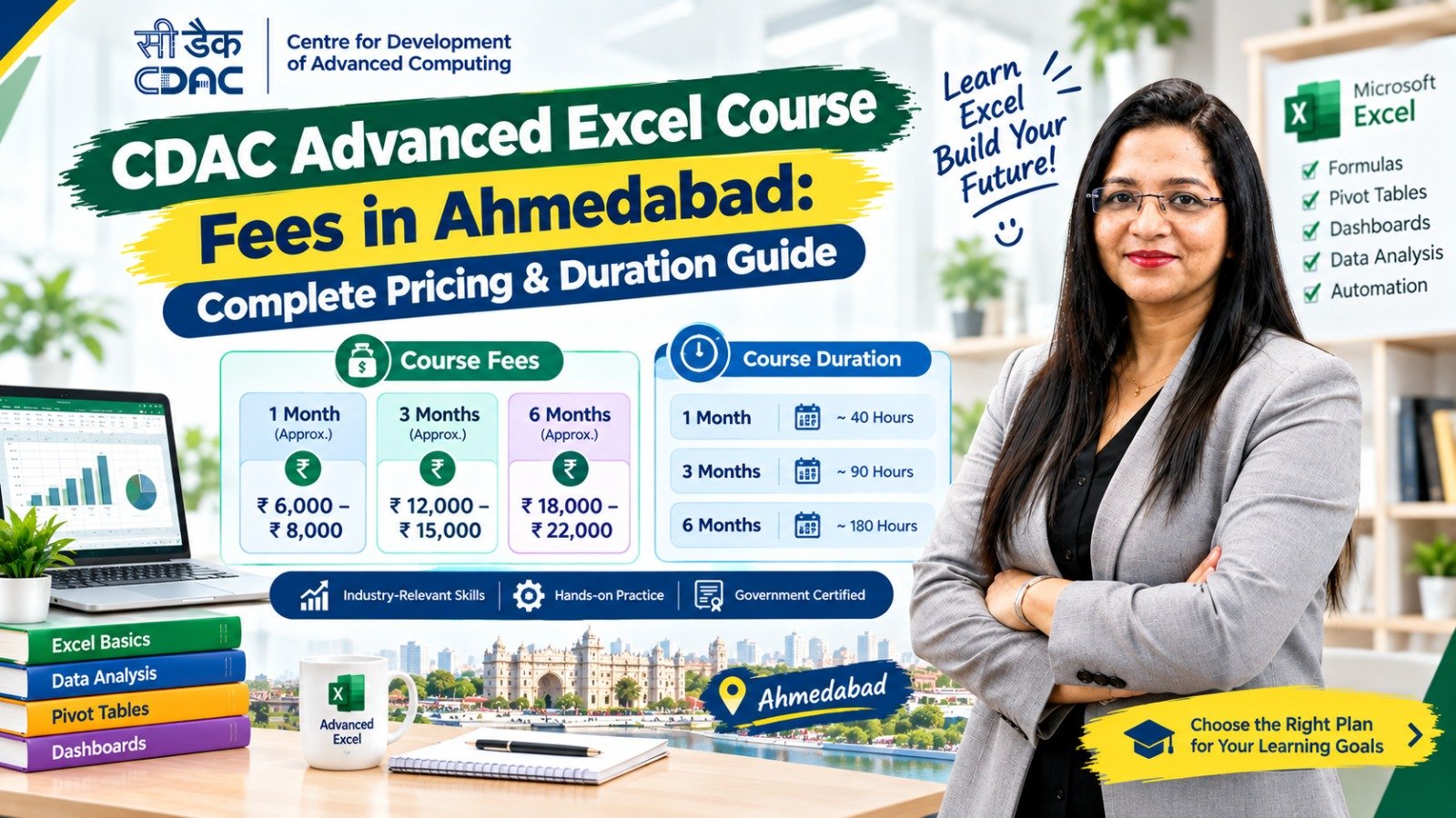
If you are searching for CDAC Advanced Excel course fees in Ahmedabad, it is important to understand that there may not be one standard fee applicable to every course advertised under this name. Training fees can vary depending on the institute, course duration, syllabus, training format, practical projects, certification and additional modules.
This guide explains the typical pricing factors, course duration, syllabus, online and classroom options, certification considerations and how students can compare Advanced Excel courses in Ahmedabad before admission.
Introduction
Excel is one of the most widely used software tools in offices, businesses and professional workplaces. It is used for calculations, reporting, data management, accounting support, inventory records, MIS reports and business analysis.
Because of this, many students, job seekers and working professionals search for Advanced Excel courses in Ahmedabad to improve their practical computer skills.
A common search phrase is “CDAC Advanced Excel course fees in Ahmedabad.” However, students should be careful when interpreting the term CDAC.
C-DAC, or the Centre for Development of Advanced Computing, is a government organisation under the Ministry of Electronics and Information Technology (MeitY). A private institute may use “CDAC” in its course marketing, but that does not automatically mean that every such Excel course is an official C-DAC programme.
Therefore, before paying fees, students should verify the exact course name, institute, affiliation and certificate issuer.
Now let’s understand the pricing and duration of Advanced Excel training.
What Is an Advanced Excel Course?
An Advanced Excel course teaches students to use Excel beyond basic data entry and simple calculations.
Depending on the institute, an Advanced Excel course may include:
- Advanced formulas
- Logical functions
- Lookup functions
- VLOOKUP
- HLOOKUP
- XLOOKUP
- INDEX and MATCH
- SUMIF and SUMIFS
- COUNTIF and COUNTIFS
- Data validation
- Conditional formatting
- Sorting and filtering
- Data cleaning
- PivotTables
- PivotCharts
- Charts
- Dashboards
- Report preparation
- What-If Analysis
- Practical business reports
Some courses may also combine Excel with TallyPrime, GST, accounting, Power BI or data analytics.
CDAC Advanced Excel Course Fees in Ahmedabad
There is no single universal fee for every course marketed as a CDAC Advanced Excel course in Ahmedabad.
The total cost can depend on several factors.
Main Factors That Affect Course Fees
| Factor | How It Can Affect Fees |
|---|---|
| Course duration | Longer programmes may cost more |
| Syllabus | More modules can increase the overall fee |
| Training format | Online and classroom pricing may differ |
| Practical training | Project-based training can affect cost |
| Trainer experience | Experienced trainers may charge differently |
| Certification | Certification may be included or charged separately |
| Batch size | Smaller batches may have different pricing |
| Study material | Some courses include additional material |
| Career support | Placement/career services may affect the package |
| Additional tools | Power BI, Tally or analytics modules can increase course scope |
For this reason, students should compare the complete course package, not just the advertised starting price.
General Advanced Excel Fee Range in Ahmedabad
Fees can vary considerably between institutes, so there is no single fixed Ahmedabad-wide price.
As a general market guide, students may encounter different pricing levels depending on the course structure:
| Course Type | Typical Course Structure |
|---|---|
| Basic Excel | Short beginner-level course |
| Advanced Excel | Usually 1–3 months |
| Advanced Excel + Projects | Usually 2–4 months |
| Excel + Tally/GST | Usually 3–6 months |
| Excel + Power BI | Usually 2–6 months |
| Excel + Data Analytics | Usually 3–6+ months |
Important: These are general course structures, not official fixed fee or duration standards. Always confirm the current fee directly with the training provider.
Why Do Advanced Excel Course Fees Differ?
Two institutes may offer an “Advanced Excel Course” but charge different fees.
This can happen because their course content is different.
For example:
Course A
May include:
- Excel basics
- Formulas
- VLOOKUP
- PivotTables
- Charts
Course B
May include:
- Advanced formulas
- XLOOKUP
- INDEX-MATCH
- Data cleaning
- PivotTables
- Dashboards
- Business projects
- MIS reporting
Course B provides a broader practical syllabus, so the pricing may be different.
Therefore, compare syllabus and learning outcomes before comparing fees.
Advanced Excel Course Duration in Ahmedabad
The duration depends on how comprehensive the course is.
Short-Term Excel Course
Duration: Around 1 month
May cover:
- Excel fundamentals
- Basic formulas
- Formatting
- Sorting
- Filtering
- Basic charts
Advanced Excel Course
Duration: Around 1–3 months
May include:
- Advanced formulas
- Lookup functions
- PivotTables
- Data analysis
- Charts
- Dashboards
- Data cleaning
Advanced Excel + Practical Projects
Duration: Around 2–4 months
May include:
- Advanced Excel
- MIS reports
- Business projects
- Dashboard creation
- Data analysis exercises
Excel + Other Professional Skills
Duration: Around 3–6 months or longer
May combine Excel with:
- TallyPrime
- GST
- Accounting
- Power BI
- Data analytics
These duration ranges are general and can vary by institute.
What Is Usually Included in an Advanced Excel Course?
Before paying the course fee, ask the institute what is included.
A comprehensive course may provide:
1. Excel Fundamentals
- Workbook and worksheet management
- Cell references
- Formatting
- Basic formulas
2. Advanced Functions
- IF
- AND
- OR
- SUMIF
- SUMIFS
- COUNTIF
- COUNTIFS
- AVERAGEIF
3. Lookup Functions
- VLOOKUP
- HLOOKUP
- XLOOKUP
- INDEX
- MATCH
4. Data Management
- Sorting
- Filtering
- Data Validation
- Remove Duplicates
- Text to Columns
- Flash Fill
5. PivotTables
- Creating PivotTables
- Filtering
- Grouping
- Summarising data
- PivotCharts
6. Charts and Dashboards
Students may learn how to create:
- Sales dashboards
- Financial reports
- Inventory dashboards
- Employee reports
- Performance reports
7. Practical Projects
Projects can help students understand how Excel is used in real workplace situations.
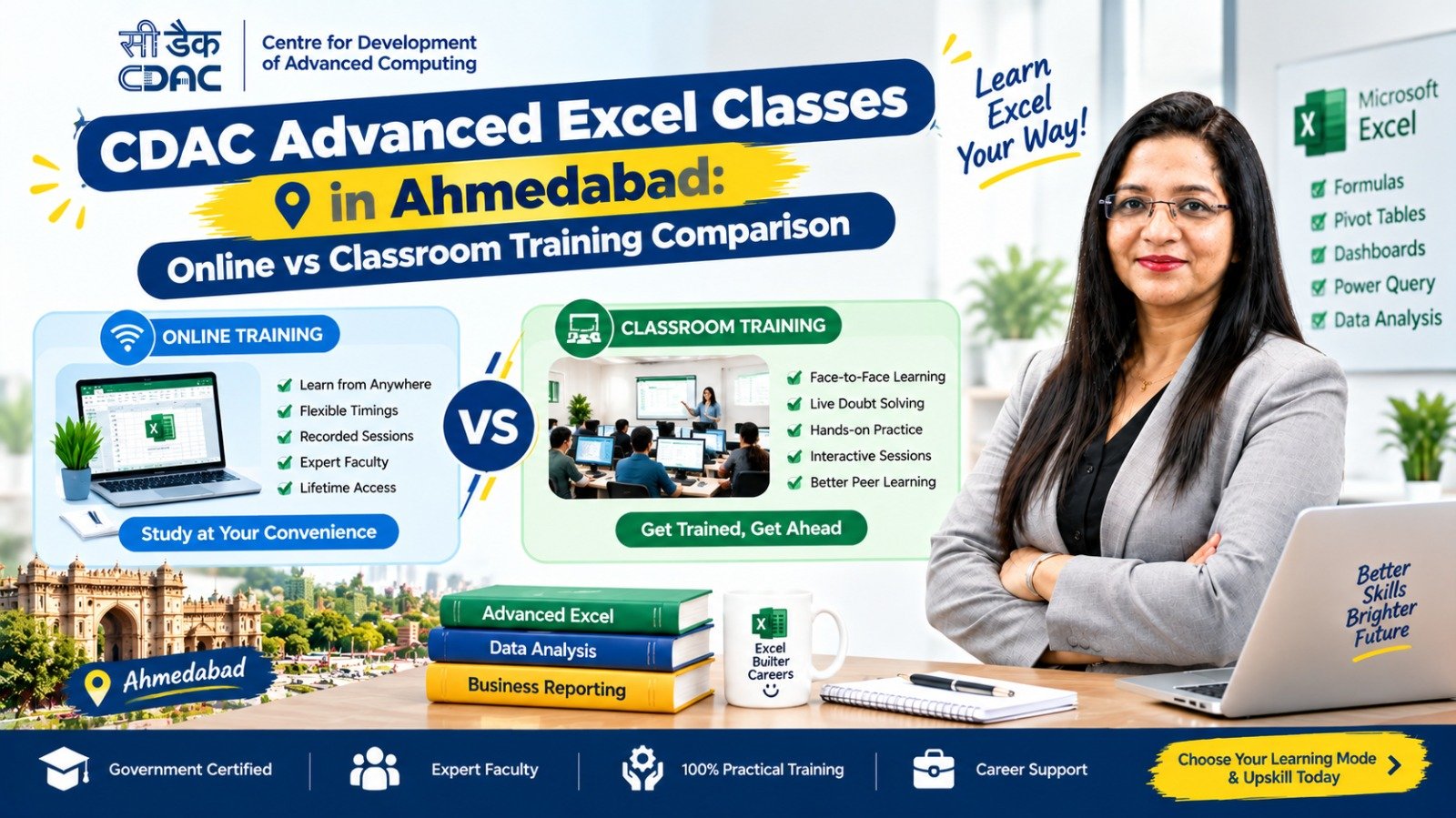
CDAC Advanced Excel Course Fees: Online vs Classroom
Training format is another factor that students should consider.
| Feature | Online | Classroom |
|---|---|---|
| Location | Home | Training centre |
| Travel cost | Generally lower | Travel may be required |
| Schedule | Often flexible | Usually fixed |
| Trainer interaction | Online | Face-to-face |
| Practical guidance | Depends on provider | Usually direct |
| Recorded sessions | May be available | Depends on institute |
| Peer interaction | Virtual | In-person |
| Suitable for | Flexible learners | Students preferring classroom learning |
Online courses can be convenient for working professionals, while classroom training may be preferable for students who want direct interaction with a trainer.
The quality of teaching and practical training should be considered alongside the fee.
Is a More Expensive Advanced Excel Course Better?
Not necessarily.
A higher course fee does not automatically mean better training.
Before joining, compare:
- Syllabus
- Number of training hours
- Trainer experience
- Practical assignments
- Projects
- Batch size
- Computer access
- Certificate
- Doubt-solving support
- Online/classroom format
- Career assistance
A course should be evaluated based on what you actually receive for the fee.
CDAC Certification and Advanced Excel
This is an important point for students searching specifically for a CDAC Advanced Excel course.
If an institute advertises:
- CDAC certificate
- Government certificate
- Government-approved course
- C-DAC certification
students should ask for specific details.
Check These Before Admission
- What is the exact name of the programme?
- Who issues the certificate?
- Is the programme officially affiliated with C-DAC?
- Can the affiliation be verified?
- Is the certificate issued by C-DAC or the training institute?
- Is the certification included in the course fee?
- Is there a separate examination fee?
Do not assume that the presence of the word “CDAC” automatically means that the certificate is issued by C-DAC.
Advanced Excel Course Fees After 12th in Ahmedabad
Students who have completed 12th standard may consider Advanced Excel as a practical additional skill.
The fee depends on the course structure rather than simply the student’s educational qualification.
A student may choose:
Option 1: Excel → Advanced Excel
Option 2: Excel → Advanced Excel → TallyPrime + GST
Option 3: Excel → Advanced Excel → Power BI
Option 4: Excel → Advanced Excel → Power BI → Data Analytics
The right path depends on the student’s career objective.
Advanced Excel for Accounting Students
Advanced Excel is particularly useful for students interested in accounting and finance-related work.
It can be combined with:
- Accounting fundamentals
- TallyPrime
- GST
- Banking basics
- Financial reporting
For example:
Accounting + TallyPrime + GST + Advanced Excel
can provide a practical foundation for several entry-level accounting and office roles.
Possible roles include:
- Accounts Assistant
- Junior Accountant
- Billing Executive
- Finance Assistant
- MIS Executive
- Back Office Executive
Actual job requirements vary by employer.
Advanced Excel for Data Analytics
Students interested in data-related careers can use Advanced Excel as one step in a broader learning path.
A possible roadmap is:
Excel Basics
↓
Advanced Excel
↓
Power BI
↓
SQL
↓
Python
↓
Data Analytics
Not every learner needs to follow the complete path. The required skills depend on the target job role.
How to Compare Advanced Excel Course Fees in Ahmedabad
Instead of asking only:
“How much is the Excel course?”
ask the institute these questions:
Question 1: What is the complete course fee?
Ask whether GST, study material, examination and certification charges are included.
Question 2: What is the course duration?
Find out the number of weeks or months and the total number of classes.
Question 3: How much practical training is included?
A practical Excel course should provide opportunities to work on actual Excel files and assignments.
Question 4: What is the syllabus?
Ask for the complete module list.
Question 5: Who issues the certificate?
This is especially important if the course is marketed as a CDAC or government-certified programme.
Question 6: Is there a demo class?
A demo can help you understand the trainer’s teaching style.
Question 7: Are projects included?
Ask whether students create practical reports or dashboards.
Question 8: Is career support available?
If placement assistance is advertised, ask what services are actually included.
What Skills Should You Learn in an Advanced Excel Course?
A job-oriented Advanced Excel course should ideally help you become comfortable with:
Formulas
- IF
- SUMIF
- SUMIFS
- COUNTIF
- COUNTIFS
- AVERAGEIF
Lookup
- VLOOKUP
- HLOOKUP
- XLOOKUP
- INDEX-MATCH
Data Analysis
- PivotTables
- PivotCharts
- Filtering
- Sorting
- Data validation
Data Cleaning
- Remove duplicates
- Text to Columns
- Flash Fill
- Text functions
Reporting
- Charts
- Dashboards
- MIS reports
- Business summaries
Practical Work
- Sales reports
- Inventory reports
- Employee records
- Expense reports
- Customer databases
Is Advanced Excel Worth Learning?
Advanced Excel can be useful when your target job involves regular spreadsheet work.
It may be particularly relevant for:
- Accounting
- Finance
- MIS
- Administration
- Sales
- Operations
- Inventory
- Business reporting
- Data management
However, Excel should be viewed as a professional skill, not a guarantee of employment.
Combining Excel with relevant domain knowledge can make the skill more useful.
How to Choose an Advanced Excel Course in Ahmedabad
Use this checklist before admission:
Course Checklist
☐ Complete syllabus available
☐ Course duration clearly mentioned
☐ Total training hours explained
☐ Practical assignments included
☐ Projects included
☐ Trainer details available
☐ Online/classroom format clearly explained
☐ Certificate issuer identified
☐ CDAC affiliation verified, if claimed
☐ Complete fee disclosed
☐ Additional charges explained
☐ Demo class available, if possible
☐ Career support explained clearly
This can help students make a more informed comparison.
Advanced Excel Learning Roadmap
If you are starting from the beginning, follow this sequence:
Step 1: Learn Basic Excel
Understand worksheets, formatting, formulas and references.
Step 2: Learn Advanced Formulas
Practise IF, SUMIFS, COUNTIFS and other commonly used functions.
Step 3: Learn Lookup Functions
Learn VLOOKUP, XLOOKUP and INDEX-MATCH.
Step 4: Learn Data Cleaning
Practise removing duplicates, splitting data and correcting inconsistent information.
Step 5: Learn PivotTables
Use PivotTables to summarise large datasets.
Step 6: Learn Charts
Create clear reports and visual summaries.
Step 7: Learn Dashboards
Combine Excel functions, charts and PivotTables.
Step 8: Complete Practical Projects
Work with sales, accounting, inventory or employee datasets.
Step 9: Add Another Professional Skill
Depending on your career goal, consider TallyPrime, GST, Power BI, SQL or accounting.
Frequently Asked Questions
1. What are CDAC Advanced Excel course fees in Ahmedabad?
There is no single universal fee for all courses advertised as CDAC Advanced Excel courses. Fees depend on the institute, duration, syllabus, training format, practical projects, certification and other inclusions.
2. What is the duration of an Advanced Excel course in Ahmedabad?
Many Advanced Excel courses can be completed in approximately 1–3 months, while programmes combining Excel with other skills may run for 3–6 months or longer.
3. Are online Advanced Excel courses cheaper than classroom courses?
Not always. Online courses may reduce travel expenses, but the course fee depends on the provider, trainer, live support, projects, duration and other features.
4. Is there a fixed CDAC fee for Advanced Excel?
Students should not assume that there is one fixed CDAC fee for every course advertised as “CDAC Advanced Excel.” Verify the exact programme and official affiliation before admission.
5. Can I join Advanced Excel after 12th?
Yes. Many Advanced Excel programmes are suitable for beginners and students after 12th, although eligibility depends on the individual institute.
6. Is certification included in the Advanced Excel course fee?
It depends on the institute. Ask whether the certificate is included, whether an examination fee applies and who issues the certificate.
7. What is the best duration for an Advanced Excel course?
The appropriate duration depends on the syllabus and your learning objective. A short course may be sufficient for basic workplace skills, while a project-based programme may require more time.
8. What should I learn with Advanced Excel?
Depending on your career goal, you can combine Advanced Excel with TallyPrime and GST for accounting, Power BI for reporting, or SQL and Python for data analytics.
9. Does an Advanced Excel course guarantee a job?
No. A course can provide knowledge and practical skills, but employment also depends on education, experience, interview performance, communication and employer requirements.
10. How should I compare two Advanced Excel courses?
Compare the syllabus, training hours, practical work, projects, trainer, course duration, certificate, support, learning format and complete fee rather than comparing price alone.